
Top 10 Interactive Screen Manufacturers in China
Interactive screens now sit at the center of many classrooms, meeting rooms, retail spaces, and control centers. Their appeal is practical: users can write on a bright glass surface, move content with a fingertip, and share a presentation without passing around cables. Still, screen size alone tells little. Touch accuracy, operating-system support, software updates, service coverage, and long-term parts availability can matter just as much.
Market forecasts point to continued demand, but figures need context. MarketsandMarkets estimated that the global interactive display market would grow from US$35.4 billion in 2023 to US$45.3 billion by 2028, a projected compound annual growth rate of 5.1%. This broad category includes more than interactive flat panels, so it should not be read as a measure of Chinese manufacturers’ sales alone. Forecasts also describe expectations, not guaranteed outcomes.
China has a diverse supplier base, from established display brands to manufacturers focused on education or business collaboration. Comparing them takes more than checking a product page. A useful shortlist should examine touch performance, panel specifications, connectivity, software, certifications, warranty terms, and export support. Details can vary by model and market. They deserve a closer look. This guide to the Top 10 Interactive Screen Manufacturers in China offers a structured starting point, while recognizing that no single ranking can fit every project, budget, or deployment environment.
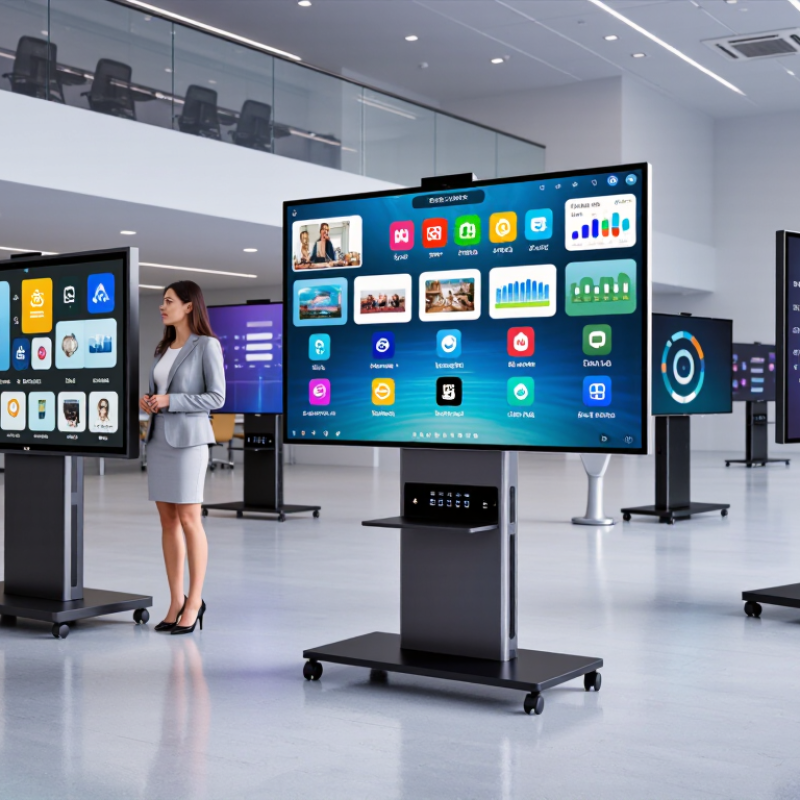
What Defines an Interactive Screen? 4K UHD (3,840 × 2,160) and Core Features
An interactive screen combines a display with touch input and tools for presenting or collaborating. Its 4K UHD resolution is 3,840 × 2,160 pixels, or about 8.3 million pixels. That detail matters when showing fine diagrams, small spreadsheet text, or detailed product images. At close range, however, resolution alone cannot guarantee a clear picture. Screen size, viewing distance, brightness, and room lighting also affect readability.
Core features include responsive multi-touch, accurate tracking near the screen edges, and software that lets users write, erase, and move content naturally. A teacher should be able to annotate a diagram without a noticeable delay. In a meeting room, useful connectivity and straightforward screen sharing can reduce setup time. Audio, camera support, and compatibility with existing devices may also matter, depending on the installation. Check the actual touch response, not just the feature list. A specification sheet can leave out important details, such as glare under overhead lights or the effort needed to calibrate touch. Small differences become obvious during daily use. In practice, there is no single feature set that fits every room.
Which Specifications Matter? 20-Point Touch, Brightness, Latency, and Connectivity
For China’s interactive-screen manufacturers, a “20-point touch” label is only a starting point. Test all fingers at once, especially near the screen edges, and check palm rejection with a sleeve resting on the glass. Ask for the touch-controller report, not just a product specification. A busy classroom needs reliable simultaneous input more than an impressive demo.
Brightness needs context. VESA’s DisplayHDR 400 tier specifies a 400 cd/m² peak, but that figure does not promise the same brightness across the whole screen or during long sessions. For a sunlit room, request sustained-brightness measurements and inspect glare from a seated viewing angle. Latency is equally tangible: Nielsen Norman Group’s response-time guidance says 0.1 seconds feels immediate, while 1 second can preserve a user’s flow. Delays show up when ink trails behind a moving finger. Connectivity matters, too: verify USB touch return, HDMI or USB-C video, network access, and whether connected computers need adapters.
Tips: Bring your own laptop. Test touch, annotation, and screen sharing together, then check the cable setup. One awkward detail can still disrupt a smooth demo.
Top 10 Interactive Screen Manufacturers in China: Profiles and Product Focus
A useful Top 10 profile compares manufacturers by what they actually build, not by broad marketing claims. China’s interactive screen suppliers may serve classrooms, meeting rooms, retail spaces, or control environments. Their product focus can differ sharply. Some offer large-format touch displays with built-in computing, while others emphasize modular panels, mobile stands, or installation services. Check screen size, touch response, brightness, operating system options, and available ports. These details affect daily use.
Tips: Request a current specification sheet and a live demonstration. Test touch accuracy near the screen’s edges. Confirm warranty terms, spare-part availability, and service coverage before comparing prices.
A reliable profile should distinguish verified product features from promotional language. It should also explain which users each product suits, such as teachers needing annotation tools or meeting teams sharing laptops. Ask whether quoted performance applies to the exact model being considered. It can be easy to overlook mounting needs, room glare, or software compatibility. Rankings may vary with the selection criteria, and public information is not always complete. A careful comparison should say where evidence is limited rather than treating every claim as proven.
Resolution Comparison for Interactive Displays
Pixel counts are calculated from standard resolution dimensions. This comparison is brand-neutral and does not represent manufacturer market share.
How Chinese Manufacturers Serve Education, Business, and Public-Sector Users
Chinese interactive screen manufacturers serve classrooms, meeting rooms, and public facilities with different priorities. In schools, teachers need clear displays, responsive touch, and simple ways to annotate lesson materials. A screen that takes several minutes to connect can disrupt a class. Small details matter.
For business users, manufacturers often configure larger displays for video meetings, shared documents, and room scheduling. Buyers should check whether the screen works smoothly with their existing computers and conferencing tools. Ask about firmware updates, spare parts, and service response times before placing a large order. Specifications alone are not enough.
Public-sector projects may require durable panels, accessible interfaces, and careful handling of network settings. Libraries, service counters, and transport facilities also need screens that remain readable under bright lights and frequent use. Not always. A feature-rich model can still be a poor fit if staff cannot maintain it. Chinese suppliers vary in engineering depth and after-sales support, so buyers should review test records, sample units, and warranty terms. A practical assessment includes real-world touch tests, not just a polished demonstration. One weakness in the process is that procurement teams may compare prices more closely than long-term maintenance needs.
How to Compare Suppliers: Certifications, Customization, and After-Sales Support
Comparing the top 10 interactive screen manufacturers in China starts with evidence, not polished sales claims. Ask suppliers for current certificates and confirm which products and factories they cover. Check model numbers, test dates, and issuing bodies. A certificate may not apply to every screen in a supplier’s catalog. For a school or meeting room, also ask about operating temperature, touch accuracy, and expected service life. Request test reports for the exact configuration you plan to buy.
Customization should be specific. Share a drawing showing screen size, mounting points, ports, and room conditions. Ask for a sample interface or a written list of hardware changes before approving production. After-sales support matters just as much. Clarify warranty coverage, spare-part availability, remote troubleshooting hours, and typical repair timelines. Get these details in writing. A low price can look convincing, yet unclear support may cause delays later. It is easy to focus too much on display specifications and overlook replacement logistics; that is a comparison worth revisiting.
Tips: Ask each supplier the same questions, then compare written answers side by side. Keep one detail in mind: a fast reply is helpful, but it is not proof of dependable service. Request a sample support response for a realistic fault, such as intermittent touch input.
| No. | Comparison Dimension | What to Check | Evidence to Request |
|---|---|---|---|
| 1 | Manufacturer Identity and Capability | Confirm whether the supplier manufactures the interactive display, assembles it, or sources finished products from another factory. Check that the proposed production site matches the supplier’s documentation. | Current business registration details, factory address, production-line overview, and a live or recent factory audit. Verify the legal entity and site independently. |
| 2 | Quality Management | Check whether the supplier has a valid ISO 9001 quality-management-system certificate covering the relevant manufacturing site and product scope. ISO 9001 does not, by itself, certify a particular screen model. | Certificate number, issuing certification body, covered site and scope, validity dates, and a way to verify the certificate with its issuer or accreditation database. |
| 3 | Electrical and Product Safety | Identify the applicable safety requirements for the intended destination market. IEC 62368-1 is a safety standard for audio/video and information and communication technology equipment; applicability depends on the product and market. | Test report or certificate for the exact model, including model number, tested configuration, standard edition, laboratory details, and report date. |
| 4 | Market Access and EMC | For products placed on the EU market, check applicable CE obligations, including relevant electromagnetic-compatibility requirements. CE marking is the manufacturer’s declaration of conformity, not a general independent quality certification. | EU Declaration of Conformity listing the exact model and applicable legislation, plus supporting EMC test reports. For other destinations, request documentation for the applicable local requirements. |
| 5 | Hazardous-Substance Compliance | Where required by the destination market, check RoHS-related documentation for the finished product and relevant materials. A supplier statement alone may not establish compliance for every component or configuration. | Model-specific declaration and supporting test or supplier-chain records. Confirm the document’s scope, date, product configuration, and applicable market rules. |
| 6 | Display Performance | Compare the offered screen size, resolution, brightness, contrast, viewing angle, refresh rate, and rated operating hours against the required use case. Brightness and other performance can vary by panel and configuration. | Datasheet for the exact configuration, panel specification, measurement conditions, and sample-unit measurements where performance is critical. |
| 7 | Touch and Compatibility | Check touch technology, supported touch points, response behavior, palm rejection if needed, and compatibility with the intended operating systems, computers, and conferencing equipment. | Touch-controller and driver details, compatibility list, interface specifications, and a trial sample tested with the buyer’s actual devices and software. |
| 8 | Customization and Integration | Confirm which changes are available, such as screen size, ports, camera or microphone modules, operating system, interface language, logo placement, packaging, and mounting options. Clarify minimum order quantities and any engineering charges. | Written configuration sheet, approved drawings or samples, interface and software requirements, tooling or setup costs, minimum order quantity, and change-control process. |
| 9 | Production and Inspection Controls | Ask how incoming components, assembly, firmware loading, calibration, burn-in, and final inspection are controlled. Agree on acceptance criteria before production rather than relying on a general quality claim. | Quality-control plan, inspection checklist, sample inspection report, serial-number traceability process, defect-handling procedure, and agreed pre-shipment inspection plan. |
| 10 | Warranty and After-Sales Support | Compare warranty duration and coverage, exclusions, repair or replacement process, spare-parts availability, technical support hours, response targets, and responsibility for shipping costs. Warranty terms are supplier-specific and should be confirmed in writing. | Written warranty policy and sales contract defining coverage start date, service process, turnaround expectations, spare-parts terms, support contacts, and remedies for recurring or batch-level defects. |
| Comparison note: This table is a supplier-evaluation checklist, not a verified ranking of specific manufacturers. Request current, model-specific documentation and verify certificates, test reports, and commercial terms before placing an order. | |||
