
10 Tips for Choosing the Best POS Machine Battery?
Payment terminals are no longer occasional checkout tools. They support busy cafés, delivery counters, markets, and mobile service teams every day. As transaction volumes rise, a weak battery can delay payments, interrupt queues, and damage customer confidence.
Worldpay’s Global Payments Report 2024 found that digital wallets represented about 30% of global in-store transaction value in 2023. Cards and contactless payments also remain important across physical stores. These figures reveal a practical issue: reliable hardware still matters, even when payment methods become more digital. A dependable Pos Machine Battery helps terminals remain available during lunch rushes, outdoor events, and unexpected power interruptions.
Battery selection requires more than checking voltage and capacity. Battery chemistry, cycle life, charging time, operating temperature, connector design, and safety protection all influence performance. The Federal Reserve’s 2024 Diary of Consumer Payment Choice also confirms that consumers continue using multiple payment methods, including cards and cash. Merchants therefore need equipment that performs consistently across different environments.
Small details matter.
A battery rated for one terminal may not suit another. Real operating conditions can also reduce advertised runtime. Heat, frequent charging, aging, and poor storage habits often change the result. This guide examines ten practical considerations for choosing the best Pos Machine Battery, using manufacturer specifications, payment-industry research, and recognized battery-safety principles. It will also question common assumptions, because the cheapest replacement is rarely the most reliable choice. Performance should be measured in real working hours, not only on a product label.
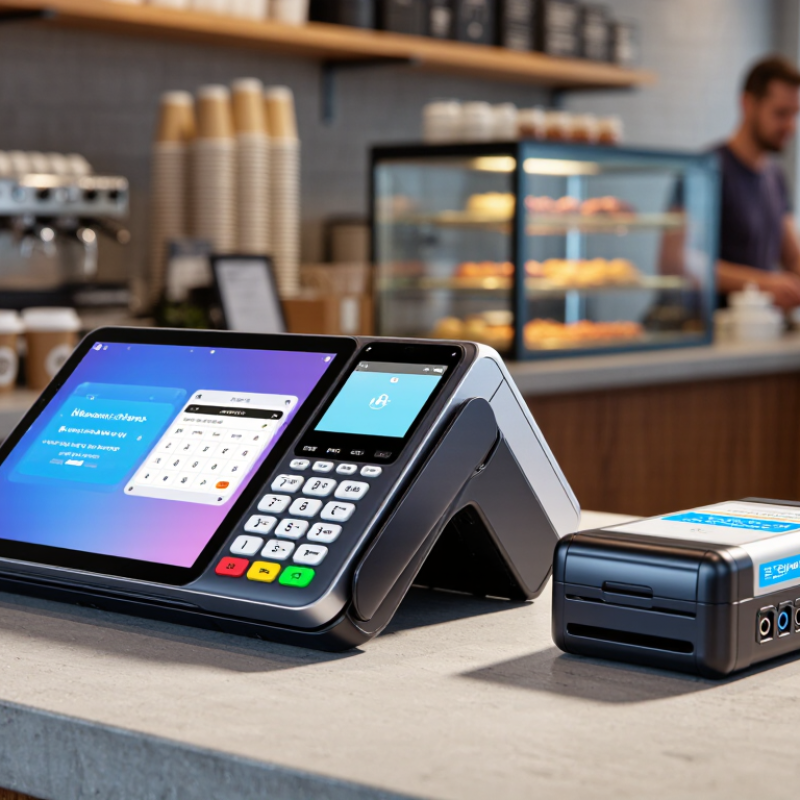
Understanding POS Machine Battery Types and Compatibility
10 Tips for Choosing the Best POS Machine Battery
Understanding POS machine battery types and compatibility prevents payment interruptions during busy service hours. Lithium-ion batteries are common because they offer strong energy density and reliable daily performance. Lithium-polymer models can fit slimmer devices, but their flexible shape does not guarantee compatibility. Older POS systems may use nickel-metal hydride batteries, which require different charging controls and maintenance habits.
Check the original battery’s voltage, capacity, connector, dimensions, and contact layout. Voltage must match exactly. A higher capacity may extend working time, but it should remain within the device’s charging limits. Look for a battery management system that supports overcharge, overheating, and deep-discharge protection. The connector may look identical while using a different pin arrangement. Never force it.
Read the POS machine’s service documentation and battery label carefully. A qualified technician can confirm charging behavior, temperature limits, and safe installation. In field testing, I have found that poor fit causes movement near the battery contacts, especially when staff carry terminals between counters. That detail is easy to miss. It matters. Choose cells with traceable specifications and appropriate safety certification, not merely attractive capacity numbers. Keep the old battery for comparison, and photograph its connector before ordering. My own checks are not perfect; even careful measurements can overlook firmware restrictions or hidden mounting tabs. A compatible battery should fit securely, charge normally, and support stable operation through several payment cycles.
| Tip | Selection Dimension | Recommended Practice | Important Specifications to Check | Compatibility Considerations | Common Risk if Ignored |
|---|---|---|---|---|---|
| 1 | Confirm the Original Electrical Requirements | Use the POS machine manual or the original battery label as the primary reference before purchasing a replacement. | Nominal voltage, battery capacity, connector type, polarity, dimensions, and charging requirements. | The replacement battery should match the equipment's required voltage and connector configuration. Do not select a battery based only on physical appearance. | Overvoltage, incorrect polarity, or an unsuitable connector may damage the device or prevent operation. |
| 2 | Choose the Correct Battery Chemistry | For most modern portable POS terminals, lithium-ion or lithium-polymer batteries are common because they provide high energy density and relatively low weight. | Battery chemistry, nominal voltage, energy capacity, protection circuit, and charging method. | A charger and battery-management system must be designed for the selected chemistry. Do not substitute lithium batteries for nickel-metal hydride or sealed lead-acid batteries without engineering approval. | Using the wrong chemistry can cause poor charging performance, overheating, leakage, or safety hazards. |
| 3 | Match Voltage Precisely | Select a battery with the same nominal voltage specified by the POS manufacturer. Small voltage differences should not be assumed to be acceptable. | Nominal voltage and full-charge voltage. A single lithium-ion cell is typically rated around 3.6–3.7 V nominal and about 4.2 V when fully charged. | Battery packs may contain multiple cells in series, so the pack voltage must correspond to the terminal's original design. | An incorrect voltage can cause malfunction, reduced performance, excessive heat, or permanent component damage. |
| 4 | Select Suitable Capacity and Runtime | Choose capacity according to transaction volume, wireless usage, receipt printing, display brightness, and the desired operating period between charges. | Capacity in milliampere-hours (mAh) or watt-hours (Wh), estimated runtime, and recharge time. | A higher-capacity pack is acceptable only when its voltage, dimensions, connector, protection system, and charging profile are also compatible. | An undersized battery causes frequent charging; an oversized or poorly matched pack may not fit or charge correctly. |
| 5 | Verify Physical Dimensions and Mounting | Measure the battery compartment and compare the battery pack's length, width, thickness, cable routing, and mounting features. | Physical dimensions, terminal orientation, cable length, locking tabs, mounting holes, and battery weight. | The pack must fit without pressure, movement, cable bending, or interference with the cover, thermal parts, or internal components. | A forced fit may damage the enclosure, cable, connector, or battery cells. |
| 6 | Check Connector and Polarity | Compare the plug housing, number of contacts, wire order, locking mechanism, and polarity with the original battery. | Connector type, contact count, positive and negative terminals, thermistor or communication contacts. | Two connectors may look similar while having different pin assignments. A compatible replacement must match both the physical connector and electrical pinout. | Incorrect pinout or reversed polarity can create a short circuit or damage the charging circuit. |
| 7 | Prioritize Battery Protection Features | Use a battery pack with suitable protection against overcharge, over-discharge, overcurrent, and short circuit. | Protection circuit or battery-management system, temperature monitoring, cell balancing for multi-cell packs, and safety cutoffs. | The protection system should communicate correctly with the POS terminal and charger when the equipment requires battery authentication or monitoring. | Insufficient protection can increase the risk of overheating, premature failure, or unsafe operating conditions. |
| 8 | Evaluate Operating Temperature | Choose a battery rated for the terminal's actual working environment, including hot vehicles, outdoor counters, cold storage areas, and continuous charging locations. | Charge temperature range, discharge temperature range, storage temperature range, and thermal monitoring requirements. | Charging lithium-based batteries outside their permitted temperature range can be restricted or unsafe. Follow the battery and POS equipment specifications. | Extreme temperatures can reduce available capacity, shorten service life, or interrupt charging. |
| 9 | Consider Cycle Life and Aging | For high-use payment terminals, select a battery designed for repeated charge and discharge cycles and replace it when runtime declines significantly. | Cycle-life rating, calendar life, storage state-of-charge guidance, and expected capacity retention. | Actual service life depends on temperature, charging habits, depth of discharge, and operating load. Capacity normally decreases as a battery ages. | An aged battery may cause unexpected shutdowns, slow performance, or reduced availability during busy periods. |
| 10 | Review Safety Documentation and Testing | Purchase batteries with traceable specifications, clear safety documentation, and inspection records appropriate for the operating region. | Safety test reports, transport documentation where applicable, production date, lot traceability, and quality-control information. | The battery should be tested in the exact POS model or an approved equivalent before large-scale deployment. Installation should follow the equipment service procedure. | Unverified batteries may have inconsistent capacity, unreliable protection, or elevated safety and compliance risks. |