2026 Best 10.4 Inch Industrial Display for Buyers?
In 2026, choosing a 10.4-Inch Industrial Display means matching it to the machine, operator, and site. That sounds simple. Yet a panel beside a sunlit loading bay faces different demands from one inside a sealed control cabinet. Buyers should compare touch behavior with gloves, viewing angles, brightness, interface options, and mounting dimensions. Check the full operating-temperature range, not just the advertised maximum. Also ask how the display handles vibration, dust, and repeated cleaning. Small differences matter. An attractive specification sheet cannot confirm how a unit feels during a long shift.
This guide reviews ten options for 2026 and explains where each may fit, from factory HMIs to compact equipment consoles. It focuses on practical evidence: documented specifications, available integration details, service support, and the limits manufacturers disclose. Before ordering, verify connectors, control-board compatibility, bezel cutout, warranty terms, and sample availability with the supplier. Ask for a sample. Then test it in the intended enclosure, under actual lighting, using the same gloves and cables planned for production. A shortlist can still miss a constraint; that is worth admitting. Price alone rarely captures replacement effort or downtime. The best choice is the one that meets the real installation requirements reliably, not the one with the most impressive headline. Use these comparisons as a starting point, then confirm details directly with each manufacturer.
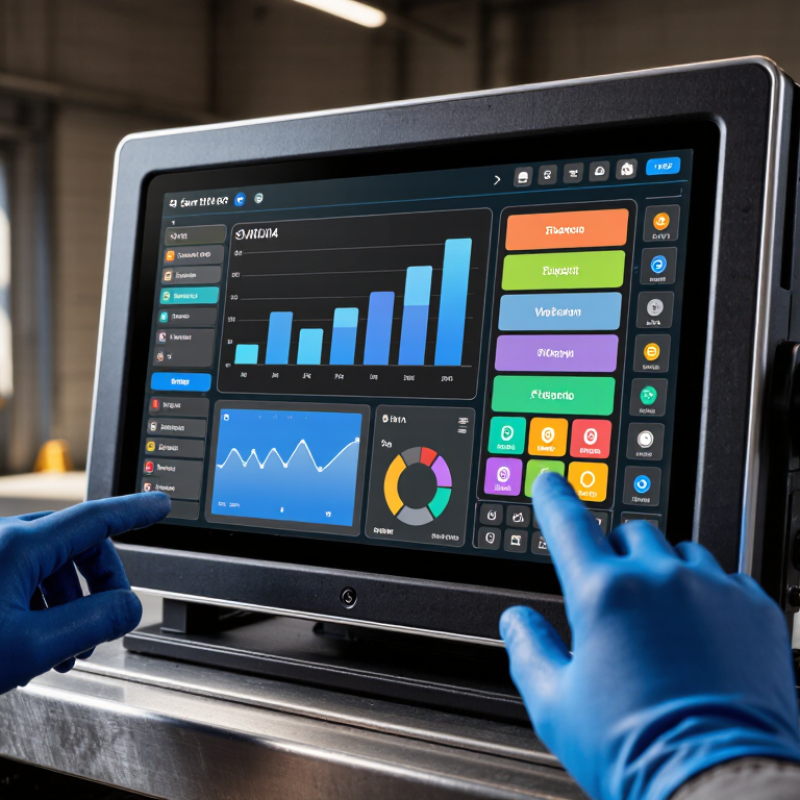
4-Inch Display Basics: 4:3 Aspect Ratio and 211 × 158 mm Active Area
A 211 × 158 mm active area is almost exactly a 4:3 rectangle. The ratio is about 1.34:1, close to 1.33:1. That familiar shape suits control panels showing status tiles, process diagrams, and short data tables. It also uses screen space efficiently when a wide layout is unnecessary.
The diagonal across this area is about 264 mm, or 10.4 inches. That matters in practice. An active area is the visible display region, not the full panel or cutout size. Allow room for the bezel, mounting points, and cables when checking an enclosure. Also confirm the resolution: aspect ratio alone does not tell you how sharp text or fine lines will look. A useful detail can still be easy to miss. I would verify the supplier’s mechanical drawing before finalizing a panel opening, since published dimensions and installation allowances may differ. One label needs care: calling a 211 × 158 mm display “4-inch” would be misleading; its diagonal is roughly 10.4 inches.
Resolution Options: 800 × 600 SVGA vs. 1,024 × 768 XGA
2026 Best 10.4 Inch Industrial Display for Buyers?
On a 10.4-inch industrial display, 800 × 600 SVGA and 1,024 × 768 XGA share a practical 4:3 shape. The difference is detail. SVGA provides 480,000 pixels, while XGA provides 786,432, giving operators more room for dense screens, trend lines, and multi-field dashboards. Small labels and thin grid lines can look clearer on XGA, especially when viewed close to the panel. But more pixels do not automatically make an interface easier to use.
Consider the actual workstation. An SVGA screen can suit a fixed control page with large buttons and familiar legacy software. It may also reduce the scaling work needed for older applications. XGA can show more information at once, though unchanged text and icons may appear smaller. Check the interface at its real viewing distance, with gloves if touch input is involved. Stand back a little. Can operators still read alarms quickly? In practical evaluations, that simple check can matter more than a specification sheet suggests. I would not assume XGA is always the safer choice; poor scaling can make a sharper display feel cramped. Match resolution to software, viewing distance, and operator tasks, then test the exact screen layout before purchase.
Image Quality Benchmarks: 400–1,000 cd/m² Brightness and 700:1 Contrast
A 10.4-inch industrial display should be judged by more than its headline brightness. A 400 cd/m² panel can suit a shaded control room, where operators read alarms and fine labels without excessive glare. In brighter areas, such as a workshop near open doors, 700–1,000 cd/m² may make the screen easier to read. More brightness is not automatically better; it can increase power use and eye strain in dim spaces.
A 700:1 contrast ratio is a useful benchmark for separating text, icons, and shaded graphics. But test conditions matter. Reflections from overhead lights or a glossy cover can wash out dark areas, even when the specification looks adequate. Check the display at its intended viewing angle, with the actual interface and lighting. A small difference in contrast can matter when an operator must spot a thin warning line. Still, brightness alone can mislead.
Tips: Compare settings at both ends of the brightness range. Check whether text stays crisp under task lighting, and ask how the contrast figure was measured. If possible, view a sample in the installation environment. Specs help, but they do not replace a practical check.
Environmental Ratings: IP65 Front Protection and −20°C to 70°C Operation
2026 Best 10.4 Inch Industrial Display for Buyers?
Environmental ratings can determine whether a 10.4-inch industrial display keeps working beyond a clean office. IP65 front protection helps resist dust and water jets when the display is mounted correctly. The rating applies to the front, not automatically to the rear enclosure or cable connections. A compressed, undamaged gasket matters. So does a flat mounting surface. A small installation gap can undermine protection.
The −20°C to 70°C operating range suits many demanding locations, from cold storage areas to warm production floors. But check how the manufacturer defines that range: ambient air temperature, panel temperature, or another test condition. Direct sunlight can heat the screen quickly, especially inside a sealed cabinet. At the cold end, verify startup performance and any condensation guidance. Ratings are useful, but real installations can be less tidy than test setups.
Tips: Check the complete unit’s protection rating, not just its front panel. Inspect gasket compression and rear cable entry. If temperatures approach either limit, test the display in its actual enclosure before specifying it for routine use.
Integration Checks: Touch Options, Interfaces, and 50,000-Hour Backlight Life
2026 Best 10.4 Inch Industrial Display for Buyers?
A 10.4-inch panel can look simple on paper, but integration details decide whether it works on the factory floor. Choose resistive touch for gloved operation or wet conditions; projected capacitive touch suits clearer multi-touch interaction, but needs testing with gloves. Ask suppliers to document controller compatibility and the cover-glass thickness. Small mismatches cause frustrating dead zones.
Check the host connection before approving a sample. VESA’s DisplayPort 1.4 specification lists a maximum raw link rate of 32.4 Gbit/s, though a compact industrial panel may use HDMI, LVDS, or VGA instead. Confirm the actual connector, signal level, resolution, and cable length. For backlight life, request the test temperature and the definition of “life.” A 50,000-hour rating often describes time to a specified brightness decline, not guaranteed failure-free service. At eight hours daily, that is about 17 years on paper. Real heat and continuous use can shorten it.
Tips: Run the display at the intended brightness inside the real enclosure. Check sunlight readability, touch response, and connector clearance. Ask for the test report behind the 50,000-hour claim; a datasheet alone leaves gaps. VESA interface figures and the supplier’s own lifetime test are useful evidence, but neither replaces a system-level trial.
